
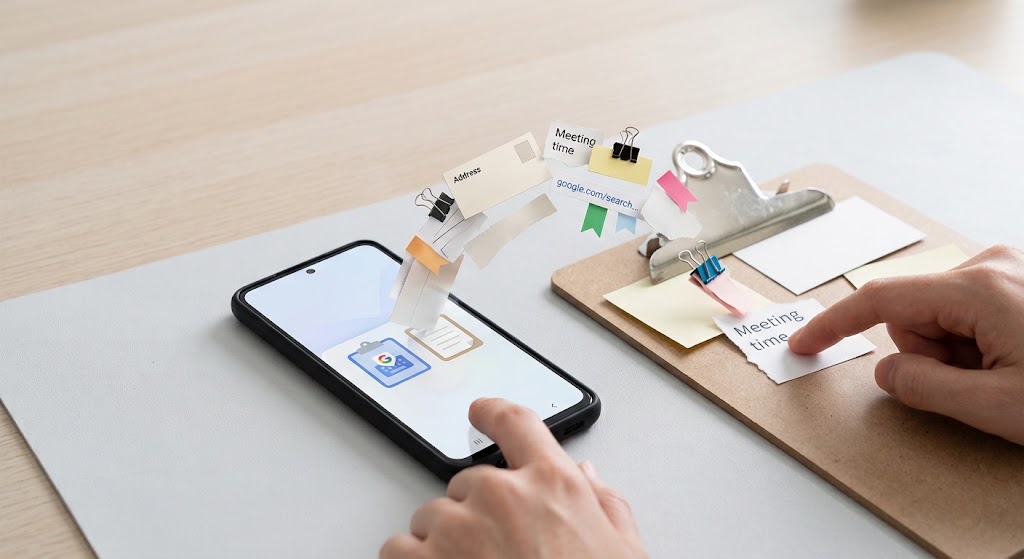
The clipboard on Android temporarily holds copied content. To paste your latest copied text, touch and hold an editable field and choose Paste. For saved clips, open your keyboard’s Clipboard tool.
Wondering “where is clipboard on android” after copying an address? You don’t need to search Downloads. If “where is the clipboard on my phone” brought you here, learning how to find clipboard on android starts with identifying your keyboard.
To copy text first, hold a word, drag the selection handles across the passage you need, and tap Copy. Then move to your destination app.
Understand the Clipboard Before Opening It
The answer to “where is clipboard on android” isn’t a single folder. Android’s system clipboard holds one current ClipData object, which can contain multiple items. A keyboard can separately retain earlier clips. Android clipboard history therefore depends on the keyboard’s features, not simply your phone’s brand.
When asking “where is the clipboard on my android phone”, distinguish the current copied content from your keyboard’s saved collection.
On compatible phones running Android 13 or later, copying also produces a visual preview. Tapping that preview can let you edit the current text. It is not a list of everything you have copied.
Open Your Keyboard’s Clipboard
Gboard: how to access clipboard on android
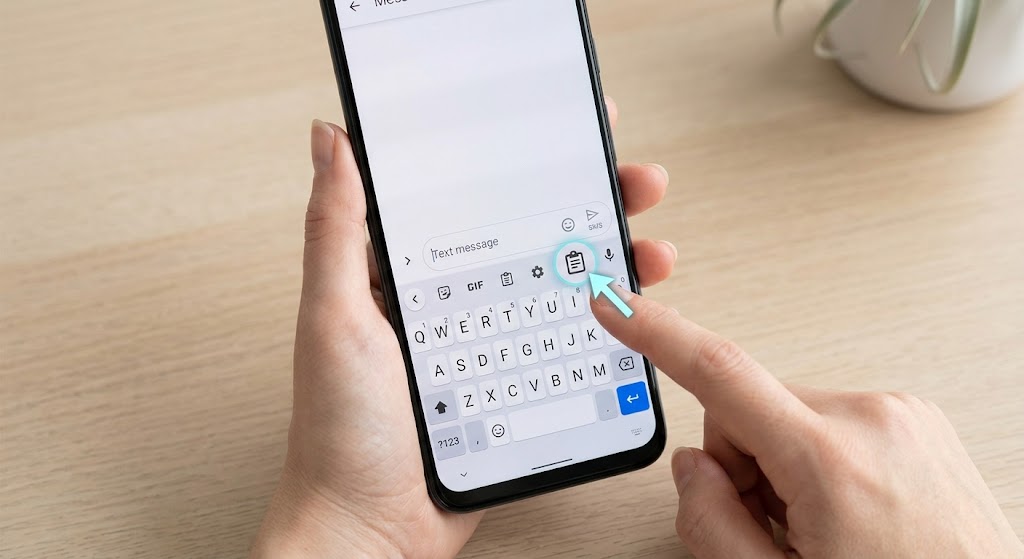
For “where is clipboard on android” on Gboard, copy a short text sample. Write out a new message, press the writing space, and tap on the little icon next to the keyboard. Check the keyboard’s tools menu if necessary, and enable the feature if prompted.
The Gboard clipboard displays available clips; tap one to insert it. To pin clipboard items, hold a text entry and select Pin. Google confirms pinned text survives normal history clearing.
For an old entry you no longer need, use the editing controls to select it, then choose the delete option. Pin only snippets you deliberately want to keep.
That’s how to find clipboard on android without installing another app. Still confused about where the clipboard is on your phone? Make sure Gboard is the keyboard currently open.
Samsung Galaxy
If “where is the clipboard on my android phone” refers to a Galaxy using Samsung Keyboard, open a text field and tap Clipboard on the toolbar. Check the three-dot menu if it isn’t visible.
No toolbar? Open Settings, General management, Samsung Keyboard settings, and enable Keyboard toolbar. Samsung notes that available controls differ across models and software versions.
For Samsung users asking “where is clipboard on android”, this is the relevant route. The Samsung clipboard also supports deleting entries and pinning useful ones. Learning how to find clipboard on android becomes easier once you identify the keyboard.
Choose the Right Access Method
Here’s how to access clipboard on android based on your task. For “where is the clipboard on my phone”, choose the matching row.
| Your task | Where to look |
|---|---|
| Paste the latest text | Hold a text field; choose Paste. |
| Browse saved Gboard clips | Gboard toolbar, then Clipboard. |
| Browse saved Galaxy clips | Samsung Keyboard toolbar, then Clipboard. |
These are different ways to copy and paste on Android, not separate folders.
Fix an Empty or Missing Clipboard
Still wondering “where is clipboard on android” because nothing appears? Copy fresh text and immediately try Paste in a note. This helps distinguish a failed copy from a missing history panel.
For “where is the clipboard on my android phone” after enabling history, remember that turning it on doesn’t restore older, unrecorded entries.
Check which keyboard actually appears before changing settings. A Galaxy with Google’s keyboard follows the Gboard instructions, while Samsung’s instructions apply only when its own keyboard is active. Matching the interface rather than the brand prevents unnecessary troubleshooting.
Google says Gboard removes unpinned history shortly after its last use. Store your important data in a note instead of clipping them temporarily. That is the way to access clipboard on android effectively without considering it a permanent storage device.
Privacy and Technical Details
Understanding how to access clipboard on android also means understanding access limits. On Android 10 onward, clipboard access is limited to the default keyboard or the app currently holding focus.
“If where is the clipboard on my phone, can anyone read it?”, that distinction matters.
Android 13 introduced automatic system clipboard clearing. This differs from a keyboard’s saved history; don’t assume every retained clip disappears simultaneously. To clear clipboard on Android, delete saved keyboard entries, too.
Strictly speaking, “where is clipboard on android” should actually be referring to ClipboardManager, which is the interface service in Android.
When an app copies something, it places data in the system service. Another copy replaces that current clip. This doesn’t necessarily delete entries already retained by a keyboard, explaining why the latest paste and a saved list can differ.
Conclusion
The practical answer to “where is clipboard on android” is your active keyboard’s Clipboard button, or Paste for the latest item. If you’re asking “where is the clipboard on my android phone”, check that keyboard first. Pin reusable, non-sensitive text and keep valuable information somewhere permanent.
Frequently Asked Questions
Can I copy text between Android and Windows?
Yes. Microsoft SwiftKey offers Cloud Clipboard. Enable syncing in SwiftKey and Windows clipboard settings using the same supported Microsoft account; this isn’t automatic Android behavior.
Why won’t a copied picture paste into an app?
The receiving app must support the clip’s data type and handle its image reference. A text-only destination cannot necessarily paste image content.
Can Gboard extract one detail from copied text?
Yes. Gboard can suggest individual details, including email addresses or phone numbers, from longer copied passages, letting you paste only the useful part.
Why are some copied passwords hidden in previews?
Apps can flag clips as sensitive. On Android 13 onward, that prevents the copied secret from appearing in the system’s visual confirmation.
Can my employer restrict copying between profiles?
Yes. Android supports restrictions on exporting clipboard content from one profile into another. Ask your organization’s IT team whether its work profile blocks this action.
