
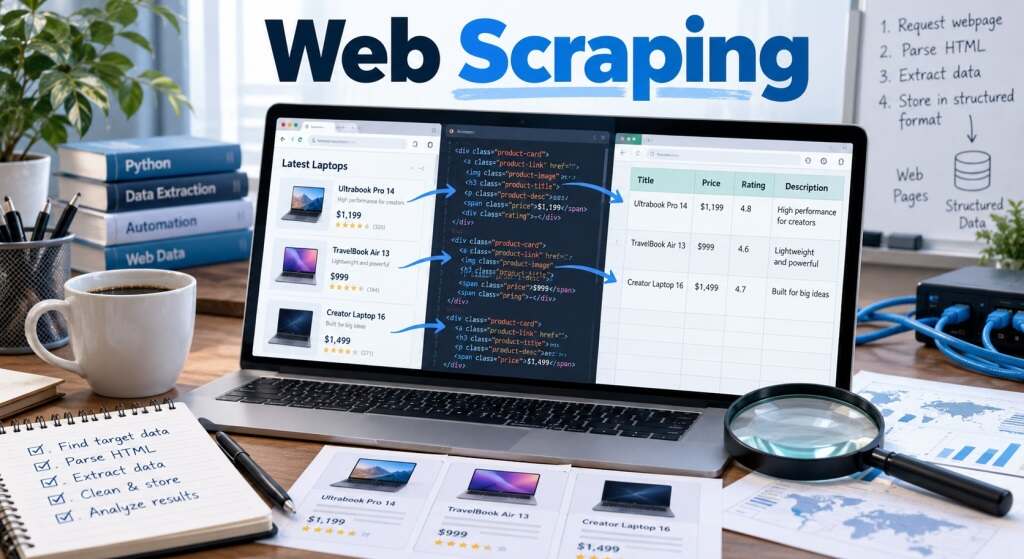
A shopper compares five stores before buying a laptop. A researcher checks hundreds of public reports. A small retailer watches competitors change prices overnight. Each needs information scattered across websites, but copying every detail manually would consume hours. Web scraping offers a way to collect relevant information automatically, provided the collection is accurate, respectful, and permitted. The interesting question is not simply how software retrieves a page. It is how raw website content becomes trustworthy evidence for a useful decision.
- What Is Web Scraping, Exactly?
- How Web Scraping Works: From Request to Useful Record
- A Practical Example: The Price That Wasn’t Cheaper
- Which Tools Fit the Job?
- Where Businesses Actually Gain Value
- The Privacy and Publisher Questions You Cannot Ignore
- Five Frequently Asked Questions
- Conclusion: Valuable Data Starts With Better Questions
What Is Web Scraping, Exactly?
Web scraping is the automated process of retrieving information from websites and converting selected details into structured records. Instead of saving an entire page, a program might capture a product name, advertised price, availability, and timestamp. The resulting dataset can be searched, compared, or analyzed.
It differs from ordinary browsing because software repeats defined tasks across pages. It also differs from crawling: a crawler discovers links and pages, while a scraper extracts particular fields. One system can do both, but discovery and data extraction are distinct jobs.
Importantly, visible does not mean free of restrictions. A website may offer an official API, limit automated access, or place legal conditions on reuse. Responsible projects assess those conditions before gathering website data.
How Web Scraping Works: From Request to Useful Record
Think of the process as a small production line. Each stage protects against a different source of error.
1. Define the question. Decide precisely what matters. For price monitoring, capture the currency, product configuration, stock status, shipping cost, and observation time. A bare price can produce a misleading comparison.
2. Check access rules. Review the site’s terms, relevant permissions, and robots.txt instructions. Try to find an official API or dataset first. The robots.txt standard, RFC 9309, describes crawler preferences; it does not grant access rights or function as security protection.
3. Fetch an allowed page. An HTTP client requests a URL, and the server returns a response, often HTML. Python’s Requests library can retrieve that response and expose its content. Errors, redirects, and temporary rate limits need deliberate handling.
4. Locate the information. HTML contains elements and attributes. A parser such as Beautiful Soup can locate headings, prices, or links using tags and selectors. If JavaScript builds the visible content after loading, browser automation such as Playwright may be appropriate where access is authorized.
5. Clean and verify. Remove duplicate entries, normalize currencies, distinguish sale prices from subscriptions, and flag missing fields. Save the source URL and retrieval timestamp. Compare selected records against their original pages to catch parsing mistakes.
6. Store and refresh carefully. Export to CSV, JSON, or a database. Update only as often as the decision requires, respect server capacity, and stop when access is denied. This is where data extraction becomes a maintainable workflow rather than a one-time script.
A Practical Example: The Price That Wasn’t Cheaper
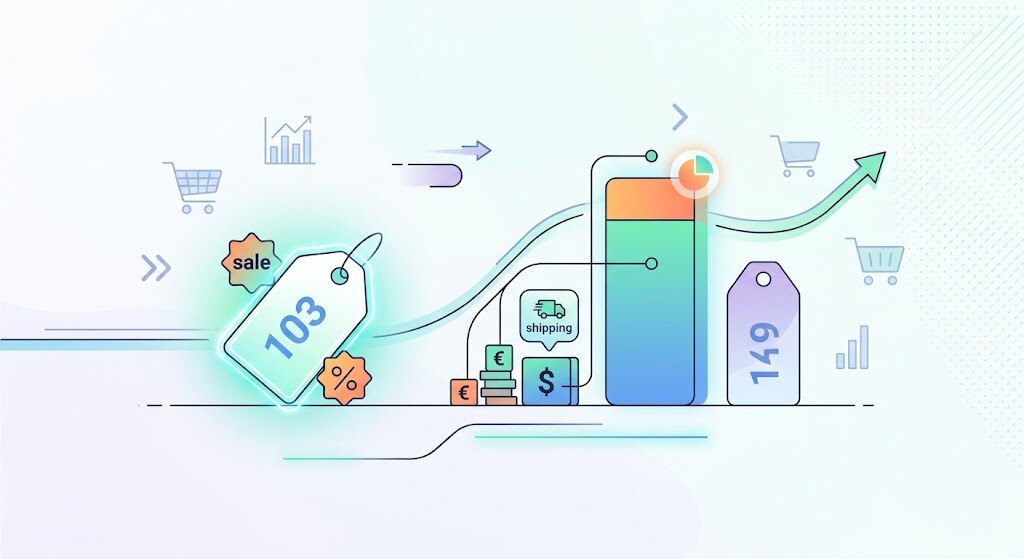
Imagine an independent electronics shop comparing twenty publicly listed wireless keyboards across three authorized supplier catalogs. Its spreadsheet suggests Supplier A wins at $39, compared with Supplier B at $42. But the $39 listing excludes a $7 delivery charge. Supplier B includes shipping and offers next-day dispatch.
A better price monitoring workflow records total checkout cost, delivery terms, stock, and retrieval date rather than trusting the biggest number on a product card. It also maps identical model numbers to prevent comparing different keyboard layouts.
This example is illustrative, not a reported customer interview. The lesson reflects a common analytical risk: collecting more website data does not necessarily mean collecting the right website data. Human review still matters, particularly before changing prices or placing orders.
Which Tools Fit the Job?
There is no universally best option. The right choice depends on page complexity, scale, maintenance demands, and permissions.
| Approach | Suitable task | Main limitation |
|---|---|---|
| Official API | Consistent structured feeds | Access or usage limits |
| Requests plus Beautiful Soup | Simple static HTML pages | Cannot render JavaScript alone |
| Scrapy | Repeated multi-page collection | Requires development and upkeep |
| Playwright | Authorized dynamic-page workflows | Greater computing cost |
| Managed extraction service | Outsourced operational workload | Fees and vendor dependence |
For beginners, Python web scraping often starts with Requests and Beautiful Soup. Scrapy adds scheduling-friendly crawling patterns, selectors, and export tools. Playwright controls a browser for dynamic applications but should not be treated as permission to bypass restrictions. When vendors provide an API, that is frequently the cleaner choice.
Comparing web scraping tools therefore means comparing reliability and compliance, not merely speed. An apparently inexpensive script becomes costly if page redesigns silently corrupt its results.
Where Businesses Actually Gain Value
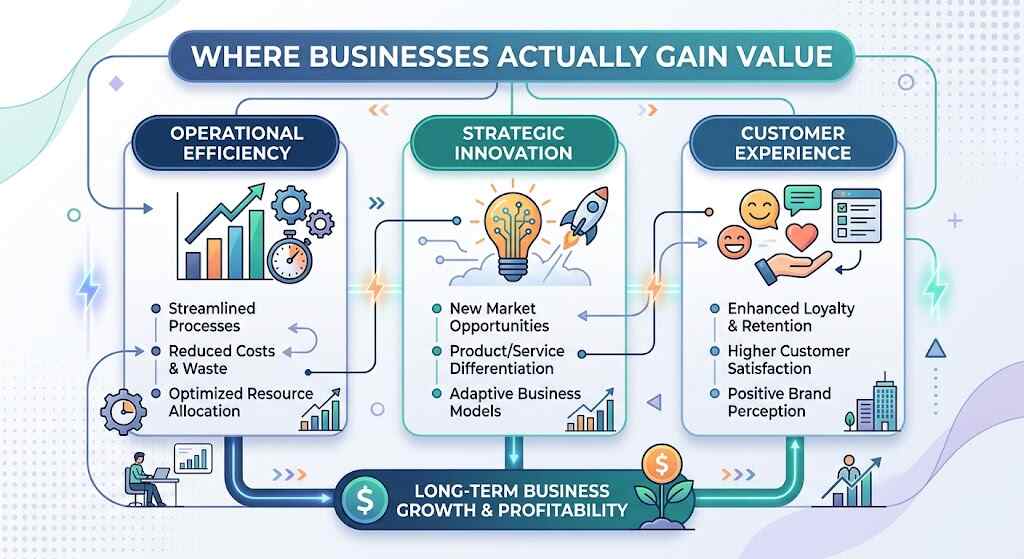
Retail intelligence: Price monitoring can reveal stockouts, assortment gaps, and changes in competing offers. Useful comparisons require matching identical products and checking geographic differences.
Property research: Analysts can organize publicly available listing attributes, then review duplicate properties, outdated advertisements, and local data rules before drawing conclusions.
Research and accountability: Journalists or academics may examine publicly posted government notices across many agencies. They should retain links, publication dates, corrections, and a reproducible method.
Operations: Teams can monitor approved partner directories or their own websites for missing information, changes, and broken links.
In every case, automation reduces copying, not responsibility for interpreting context. Decisions still depend on quality checks and source credibility.
The Privacy and Publisher Questions You Cannot Ignore
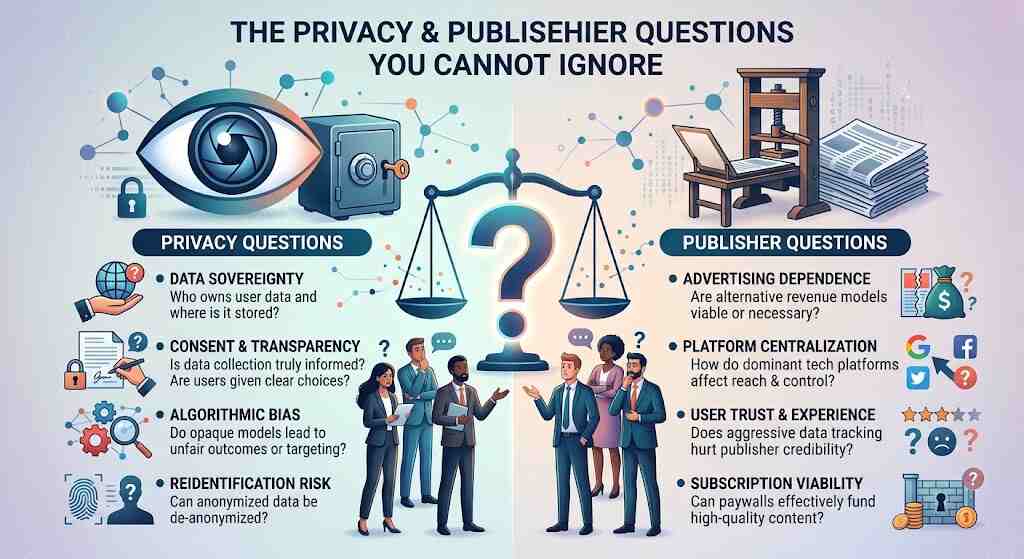
Is web scraping legal? There is no single worldwide answer. Laws, contracts, copyright, database rights, personal-data rules, and the way information is accessed can all matter. Publicly accessible personal information can remain protected. A joint statement by international privacy regulators explicitly warns about the risks of harvesting such data.
The technological landscape is changing too. Cloudflare says publishers sought compensation, not just blocking, following conversations with news organizations and other platforms. Cloudflare reported in July 2026 that it had introduced default blocking of AI training crawlers for new domains on its network, unless owners chose otherwise. That change concerns AI crawling, not every ordinary research script, but demonstrates growing publisher interest in controlling automated reuse.
Follow reasonable request rates. Identify your crawler transparently where appropriate. Do not collect passwords, sensitive profiles, or material behind access controls without authorization. Avoid attempts to defeat protective measures. Prefer licenses, APIs, or permission when the intended reuse is commercially significant.
Five Frequently Asked Questions
1. Can beginners learn web scraping without coding?
Yes. Visual extraction services can handle straightforward pages, although they still require testing, permission checks, and cleanup. Coding offers more control when workflows grow complicated.
2. Is Python necessary for web data extraction?
No. Python is popular because of its libraries, but other languages and approved APIs work too. Choose the approach your team can maintain safely.
3. Why do extracted prices sometimes look wrong?
A selector may grab an old price, a promotional label, or the wrong product variant. Check the rendered page, currency, shipping, and collection time.
4. Can websites block automated collection?
Yes. They can restrict traffic, require authentication, publish crawler rules, or refuse requests. A block should prompt reassessment, not a workaround intended to defeat it.
5. How often should information be refreshed?
That depends on the use case. Frequent retail changes might justify regular approved updates; stable public records may not. Choose the least demanding useful schedule.
Conclusion: Valuable Data Starts With Better Questions
Web scraping is most valuable when it answers a specific question rather than collecting everything within reach. Start with permissions and a narrow objective. Select dependable extraction methods, document sources, verify samples, and preserve the context behind every number. Price monitoring, research, and business reporting all improve when teams combine automation with editorial judgment. The result should be more than a large spreadsheet: it should be information that people can trace, challenge, and confidently use. Good automation saves time; responsible practice is what makes its findings worth trusting in everyday decisions.
