
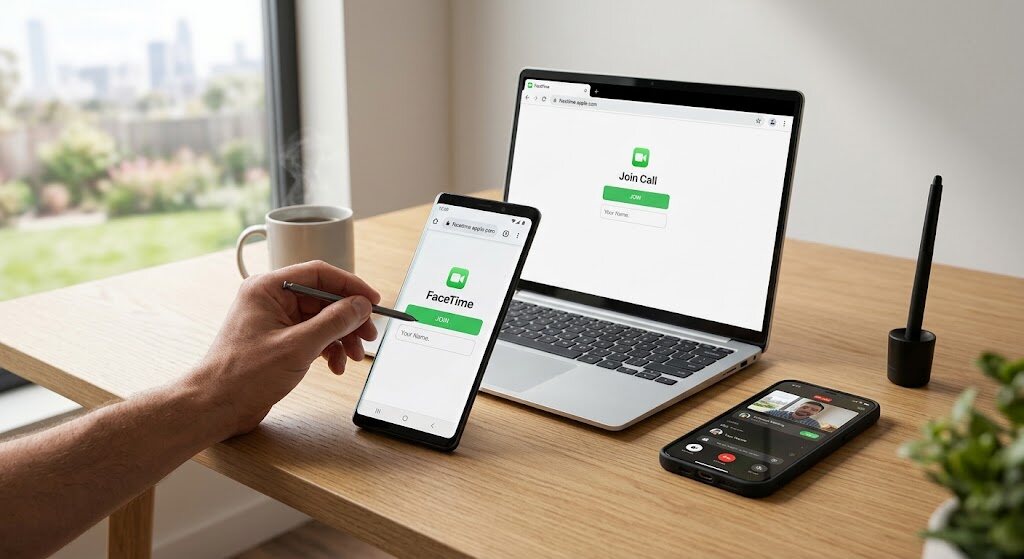
You don’t need to replace your phone to join the family video call. The important distinction is that facetime for android means browser access, not an Android app. You can accept an invitation from an Apple user, but you cannot start the call yourself.
That makes facetime on android useful for birthdays, quick catchups, and conversations with iPhone owners. It also explains why downloading an app or dialing someone’s Apple Account won’t solve the problem. Here’s the straightforward setup, what works on Windows, and what to check when joining stalls.
- Understand the Limits Before You Start
- iPhone Owners: Send an Invitation, Not a Normal Call
- how to use facetime on android
- Use the Controls That Browser Guests Actually Get
- Get facetime on pc working without downloads
- Fix the Symptom, Not Everything at Once
- A Real User Question Reveals the Main Misunderstanding
- Keep Invitations Private and Ignore Fake Installers
- Frequently Asked Questions
- Conclusion: Keep the Call Simple, Not the Expectations Unrealistic
Understand the Limits Before You Start
The specifications for the host computer would be one having iPhone with iOS 15 or higher, a compatible iPad, and Mac OS Monterey or higher. Guests need a strong internet connection and the latest Google Chrome or Microsoft Edge.
There is no official FaceTime app for Android. Use this comparison to set expectations for facetime for android:
| Capability | Android or Windows browser | iPhone app |
|---|---|---|
| Join an invited call | Yes | Yes |
| Create an invitation | No | Yes |
| Control microphone and camera | Yes | Yes |
| Use SharePlay or screen sharing | No | Yes, when supported |
Apple specifically excludes SharePlay and screen sharing from browser-based requests.
If your goal is simply a video call between Android and iPhone, that is usually enough. If you need to demonstrate an app or watch synchronized media together, choose another service before inviting everyone.
iPhone Owners: Send an Invitation, Not a Normal Call
Treat the FaceTime link like a meeting invitation: agree on a time, send it privately, and tell guests who will let them in. This avoids the awkward assumption that their Android phone should ring automatically.
- Open FaceTime and tap New Call, then Create Link.
- Send the invitation through Messages, email, or your preferred messaging app.
- Answer the incoming call and confirm entry of your guest.
Older iOS versions may show Create Link directly on the opening screen. If an older tutorial’s screenshot looks different, check the button labels rather than assuming the feature disappeared.
how to use facetime on android
Once the invitation arrives, facetime for android takes just a few browser steps:
- Open the invitation in Chrome or Edge. If it opens inside another app, copy it into your supported browser.
- Enter a recognizable name and choose Continue.
- Allow microphone and camera access when prompted.
- Choose Join and wait for approval from the host.
- Tap Leave when finished.
For a family birthday, ask everyone to connect five minutes early. Sorting out permissions before the candles appear is much less frustrating than troubleshooting during the celebration.
Use the Controls That Browser Guests Actually Get
Mute Microphone, Switch Off Your Camera, and See People in Grids while on Group FaceTime. Muting is possible when you’re having a conversation, but this is only for the sake of the conversation, and not all the features of the Apple app.
For example, when showing a relative a broken appliance, switch to the rear camera if the button is available. You can show the physical problem without screen sharing. When someone else speaks, mute yourself if background noise becomes distracting.
Get facetime on pc working without downloads
It’s almost the same thing for facetime on pc: open the invitation in Chrome or Edge, type in your name, enable your webcam and mic, and choose to join.
You don’t need FaceTime for Windows software, an emulator, or an Apple Account. Keep the call tab open, and consider headphones if your laptop speakers cause echo.
A useful setup: place the browser next to your notes for a conversation, but don’t expect the browser call to support sharing those notes onscreen.
Also Read: Where Is the Clipboard on Android? (How to Find & Use It)
Fix the Symptom, Not Everything at Once
Start with what the screen actually shows:
- Waiting for admission: Request that the host come and approve your invitation. Refreshing cannot approve it.
- Neither microphone nor camera: Verify your web browser privacy settings. Close another app that might be using the webcam.
- Connection keeps failing: Update your browser, reopen the invitation, and try a different trusted internet connection if available.
Apple also notes that sending video requires H.264 encoding support. If facetime on android still cannot send video despite permissions, a device or browser compatibility issue may be involved.
In the laptop settings, ensure that the right microphone is selected under system sounds. A connected headset can become the input device unexpectedly. If someone hears an echo, check whether two nearby devices have joined with their speakers and microphones active.
Change one thing at a time in order to see what solved the problem.
A Real User Question Reveals the Main Misunderstanding
In an Apple Community thread, a user described being unable to FaceTime their grandmother because she had Android. A reply directed them to Apple’s browser joining instructions.
That individual experience is not a reliability survey. It does highlight why facetime for android needs a different explanation: the person receiving the call isn’t waiting for the phone to ring. They need an invitation, an open browser, and host approval.
Keep Invitations Private and Ignore Fake Installers
For facetime for android, use invitations from people you recognize and check that the destination is facetime.apple.com. Joining a browser call should not require downloading an APK or entering payment details.
Because guests type a display name rather than signing in, a familiar name alone should not be treated as proof of identity. Hosts should admit expected guests and check who is present before discussing private matters. A short verbal introduction helps avoid confusion in groups.
Apple states that FaceTime audio and video are protected by end-to-end encryption. That does not prevent another participant from recording what they see or hear, so share sensitive information thoughtfully.
Frequently Asked Questions
how to facetime on android to iphone?
Ask the iPhone user to generate an invitation and send it to you. Access it through a compatible web browser and ask for admission. You cannot initiate the call from Android.
Can you FaceTime on your Android phone?
Yes, through your browser. An Apple Account is not required for membership, although the individual sending out the invitation must have an Apple-compatible device.
Will Samsung Galaxy phones work?
Samsung phones follow the same browser requirements as other Android devices. Update Chrome or Edge and check camera permissions rather than searching for a Samsung version of FaceTime.
Can two Android users start their own call?
Not independently through FaceTime. An Apple user must create the invitation. For regular conversations where either person needs to initiate calls, choose a cross-platform calling service instead.
Does it work everywhere?
No. Apple says these invitations aren’t supported in mainland China, and creating them isn’t supported on iPhones purchased there. Check availability before relying on this method while traveling.
Conclusion: Keep the Call Simple, Not the Expectations Unrealistic
The best approach to facetime for android is to treat it as an invitation-based bridge, not a replacement for Apple’s app. Have the iPhone owner create the call, use a supported browser, and confirm permissions before everyone gathers. The same principles make facetime on pc straightforward. You don’t need a suspicious download or complicated workaround; you need the right invitation and a host ready to welcome you. For connecting mixed-device families, that small distinction makes all the difference.
