
Searching for com.google.android.youtube apk version 20.14.43 arm64-v8a usually means you need a specific YouTube release, not the newest app from Google Play. The difficulty is choosing the correct file: archives offer a universal APK, a split bundle, and an arm64-specific XAPK. This guide compares those formats, shows how to check compatibility and signatures, and explains what to do when Android refuses an older installation.
- YouTube 20.14.43: Technical File Specifications
- Which YouTube 20.14.43 File Should You Download?
- What Is arm64-v8a, and How Do You Check It?
- Why Install an Older YouTube Version?
- Verify the APK Before Installing
- How to Install YouTube 20.14.43 on Android
- Fix Installation Errors Without Losing Data
- Is YouTube 20.14.43 Safe to Use Today?
- Frequently Asked Questions
- Conclusion
YouTube 20.14.43: Technical File Specifications
YouTube 20.14.43 is a Google LLC release archived in April 2025. The following details come from published repository listings, not from a hands-on installation test.
| Specification | Detail |
|---|---|
| App publisher | Google LLC |
| Package name | com.google.android.youtube |
| Version / version code | 20.14.43 / 1553866176 |
| Minimum Android | Android 8.0 (API 26) |
| Target Android API | 35 |
| APKMirror archive date | April 13, 2025 |
| Supported ABIs in universal APK | arm64-v8a, armeabi-v7a, x86, x86_64 |
The minimum Android version is a technical requirement, not a promise that the app will still work correctly on every eligible device. YouTube’s services and sign-in requirements can change independently of the APK.
Which YouTube 20.14.43 File Should You Download?
For the search youtube 20.14.43 apk download, the file format matters as much as the version number.
| Option | Listed size | Best fit |
|---|---|---|
| APKMirror universal APK | 151.11 MB | Single-file installation on supported ABIs |
| APKMirror APKM bundle | 138.41 MB | Devices using a compatible split-package installer |
| APKPure arm64-v8a XAPK | 96.3 MB | 64-bit ARM devices using an XAPK-capable installer |
Important: The APKPure page initially highlights a 74.9 MB armeabi-v7a XAPK. Scroll to All Variants and select the separately listed 96.3 MB arm64-v8a option if that is the architecture you need. The files differ; don’t assume the first download button matches your search.
The universal APK is generally simpler because Android can install it without an extra split-package utility. APKM and XAPK packages contain a base APK plus configuration splits; they require compatible installation software. Neither repository is an official Google download service. Prefer Google Play unless an older release is genuinely necessary.
What Is arm64-v8a, and How Do You Check It?
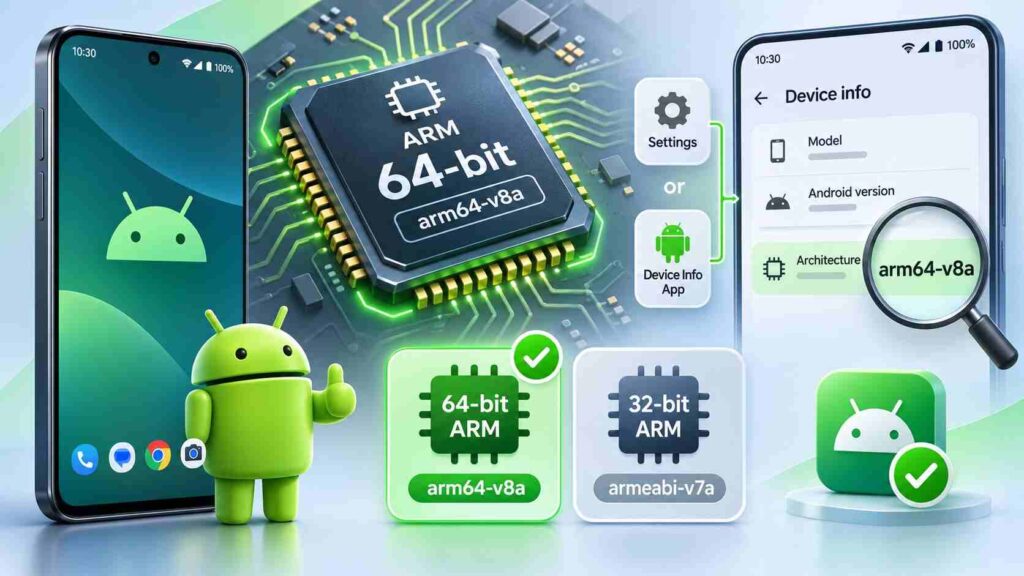
arm64-v8a is Android’s application binary interface for 64-bit ARM processors. The similarly named armeabi-v7a targets 32-bit ARM. A 64-bit-capable processor doesn’t automatically mean the installed operating system supports 64-bit applications.
Open Settings → About phone to check your device’s Android version. To identify supported ABIs, use a reputable device-information app, or connect through Android Debug Bridge and run:
adb shell getprop ro.product.cpu.abilist
If the output includes arm64-v8a, the operating system advertises that architecture. If it lists only armeabi-v7a, avoid the arm64-only XAPK. Android’s official ABI reference explains these identifiers.
Be particularly careful with Android TV boxes: phone YouTube packages are not necessarily suitable for TV-oriented firmware.
Why Install an Older YouTube Version?
A rollback can help isolate a suspected update regression, such as crashes, interface changes, or playback problems on an older phone. It is a troubleshooting experiment, not an established fix for any specific defect in current YouTube releases.
Before downgrading, restart the phone, update Google Play services, check your connection, and try clearing YouTube’s cache. Before replacing an installed app, try basic troubleshooting to rule out temporary problems. Our Android app troubleshooting guide explains how to manage app cache, review permissions, and resolve common issues without unnecessarily deleting stored data.
An older APK may lack security fixes and can eventually stop working with YouTube’s servers. Don’t confuse a historical download with a recommended everyday release.
Verify the APK Before Installing
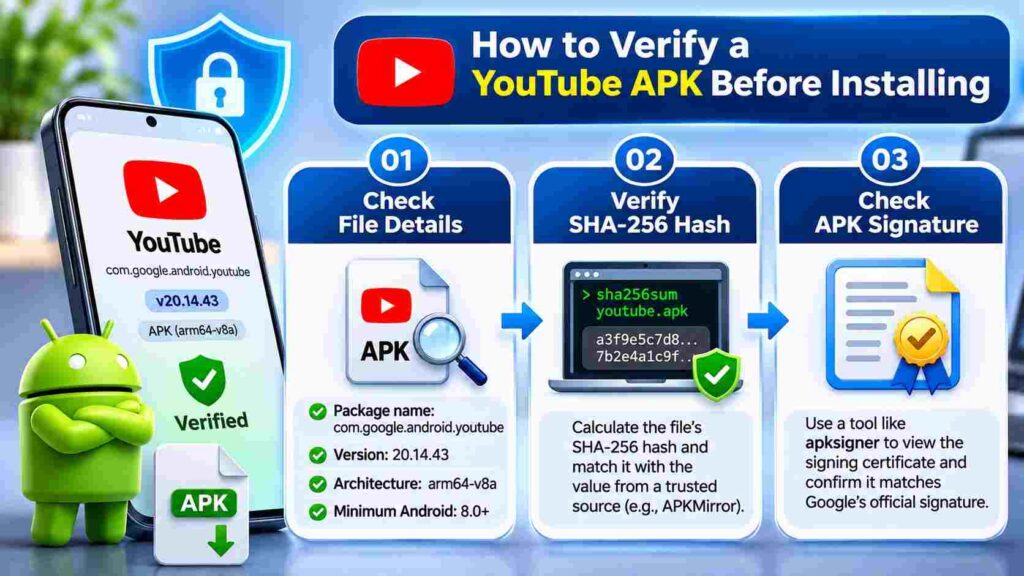
First confirm the source page lists Google LLC, version 20.14.43, the correct package name, and Android 8.0 or later. Ignore websites advertising modified “premium” builds or asking you to disable security scans.
A SHA-256 file hash checks whether your downloaded file matches a particular published file. A signing-certificate fingerprint identifies the key used to sign an Android package. They are different values, and neither alone proves an APK is harmless.
On Windows, calculate the file hash with:
Get-FileHash .\youtube.apk -Algorithm SHA256
On macOS or Linux, use shasum -a 256 youtube.apk. Compare the result only with the hash displayed for the same variant, not another file size or bundle.
If you have Android SDK Build Tools, inspect the APK signer:
apksigner verify --print-certs youtube.apk
Compare its certificate details with a trustworthy matching release. APKMirror notes multiple known valid YouTube signatures; a different certificate is a reason to investigate, not to force an update. Leave Google Play Protect enabled.
How to Install YouTube 20.14.43 on Android
Step 1: Check the Existing App
Open Settings → Apps → YouTube and note the installed version. Check your architecture and free storage before downloading. Android generally rejects installing an older version code over a newer app, even when both files are signed correctly.
Step 2: Install the Correct File Format
For a regular APK, open the downloaded file from a trusted Files app. Android may prompt you to allow Install unknown apps for that specific source under Settings. Allow it temporarily, review the security prompt, install, and revoke the permission afterward.
For an APKM or XAPK, use an installer that explicitly supports the format and its configuration splits. Don’t rename .apkm or .xapk to .apk: changing the extension does not combine the split files. If installation requires suspicious permissions or bypassing Play Protect, stop.
Step 3: Confirm Functionality
Check the installed version, open the app, and test a video. If sign-in or playback fails, don’t assume repeated reinstallations will solve a server-side compatibility problem. The supported Play Store version may be the only practical answer.
Fix Installation Errors Without Losing Data
“App not installed” or version downgrade: Android may already have a newer YouTube version. Some preinstalled system apps offer Uninstall updates in their app settings, but this returns the factory-supplied version, not necessarily 20.14.43. Device manufacturers can restrict this option. Do not remove system applications using root tools merely to force an old release.
“Package conflicts with an existing package”: Check the installed app’s package name and signing certificate. A mismatched signing identity cannot be fixed by repeatedly granting installation permissions.
Parsing error or failed split install: Recheck the Android minimum, download completeness, installer support, and selected architecture. A single base APK extracted from an XAPK may be missing required splits.
Need to return to the current version? First try updating YouTube through Google Play. If you removed updates, the app may return to the factory version until Play updates it. Clearing storage or uninstalling a user-installed app can remove locally stored app data and settings; check what matters before taking either action. Never assume that reinstalling automatically preserves everything.
Is YouTube 20.14.43 Safe to Use Today?
A correctly signed historical build can still contain outdated protections or fail against current services. The version you download should come from a traceable source, but Google Play remains the safer default for routine playback and security updates.
Verification note: File names, sizes, supported architectures, and minimum Android requirements above were checked against repository listings and Android documentation. No physical-device installation, performance benchmark, or original screenshot test is claimed here.
Frequently Asked Questions
Is YouTube 20.14.43 specifically an arm64-v8a APK?
No. APKMirror’s standalone release is universal; APKPure separately lists an arm64-v8a XAPK. Select by architecture and package format.
Does YouTube 20.14.43 support Android 7?
No. The listed minimum is Android 8.0, and a compatible CPU does not override the operating-system requirement.
Will Google Play automatically update this older version?
It can, when auto-update is enabled and an eligible update is available. Review the app’s Play Store update setting; Google may still apply certain critical security updates.
What should I do if the old build keeps crashing?
Clear its cache, restart, and test your connection. If problems continue, update to the supported release rather than looking for modified APKs.
Conclusion
YouTube 20.14.43 is a real archived release, but downloading the right version requires more than matching a file name. Compare the universal APK with the arm64 XAPK, verify the package and signature, and account for Android’s downgrade restrictions. For most users, the latest supported YouTube app remains the better choice.

One thought on “YouTube APK 20.14.43 (arm64-v8a): Download & Install Guide”